Children’s Liturgy of the Word and catechetical resources for 2nd Sunday of Year A Sunday Readings; perfect for families, bible study, religion teachers, and Catholic schools!

Children, Catholic Home School, Children’s Liturgy of the Word, Catholic Home School

Children, Catholic Home School, Children’s Liturgy of the Word, Catholic Home School

March 1, 2026

March 1, 2026

2nd Sunday of Lent (A)

BIBLE BAGHEIDI WITTEUGANDA UTVFATHER GLENNBIG AL & FR. JOEMARK 10 MISSION
YouTube player
TIMESTAMPED SUMMARY
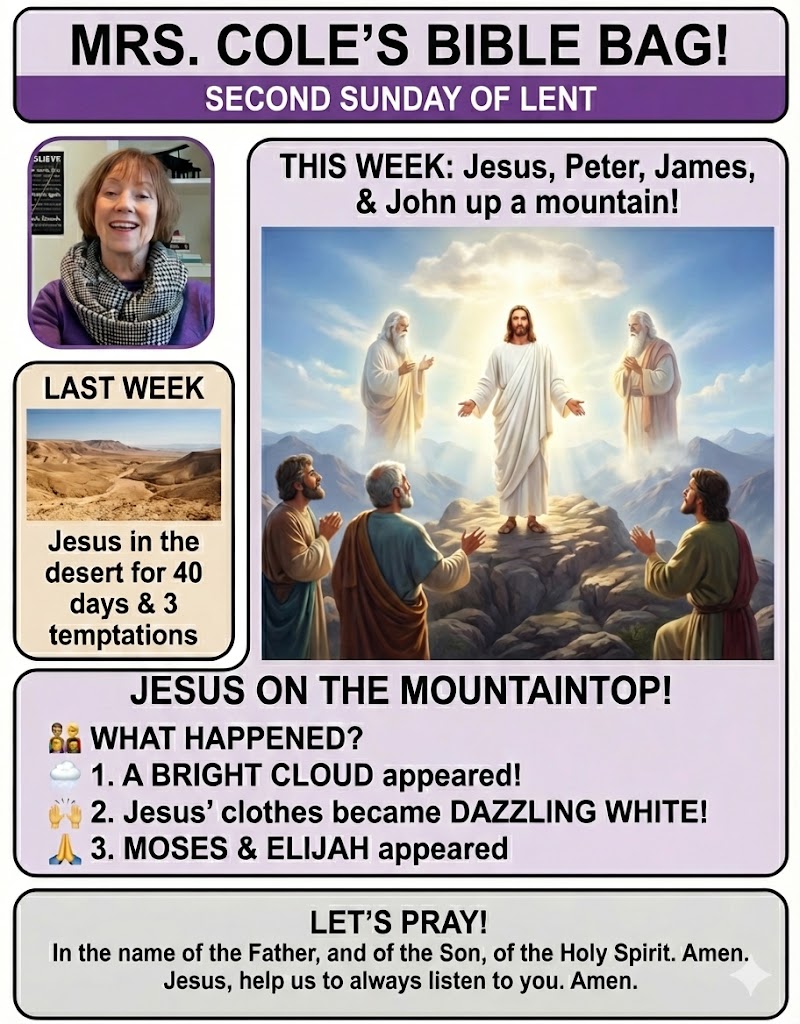
KEY THEMES: INFOGRAPHIC

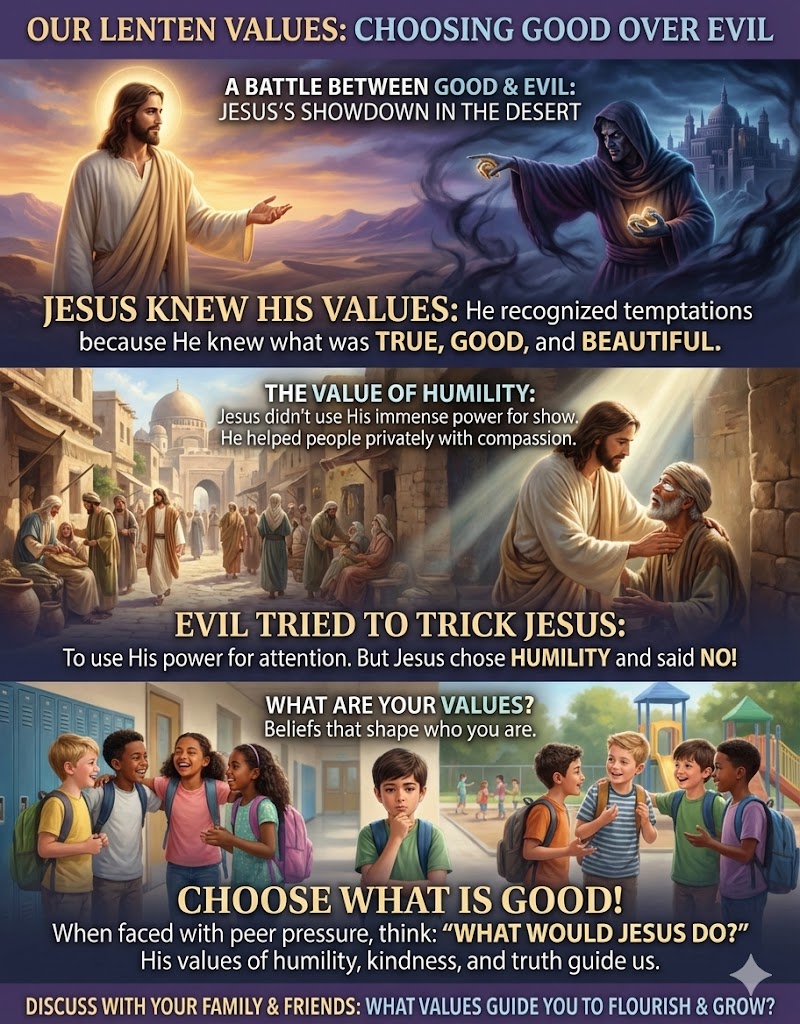
THE WORD THIS WEEK infographics are created using using GOOGLE’S AI Gemini 3 Pro. You are free to use the above infographic in any non-profit ministry. Please give credit to TheWordThisWeek.net and Mary Jo Cole which contributed content.

YouTube player
TIMESTAMPED SUMMARY
KEY THEMES: INFOGRAPHIC

This TWTW infographics was created using Nano Banana Pro with Gemini 3.0. It ihighlights key themes of the video from Jared Dees (above), but is not officially associated with or endorsed by him. It may be copied for personal use or for use in any non-profit ministry. Please give credit to TheWordThisWeek.net and Heidi Witte - Kid's Liturgy.

YouTube player
TIMESTAMPED SUMMARY
KEY THEMES: INFOGRAPHIC

THE WORD THIS WEEK infographics are created using using GOOGLE’S AI Gemini 3 Pro. You are free to use the above infographic in any non-profit ministry. Please give credit to TheWordThisWeek.net and Uganda Catholic Television which contributed content.

YouTube player
TIMESTAMPED SUMMARY
KEY THEMES: INFOGRAPHIC

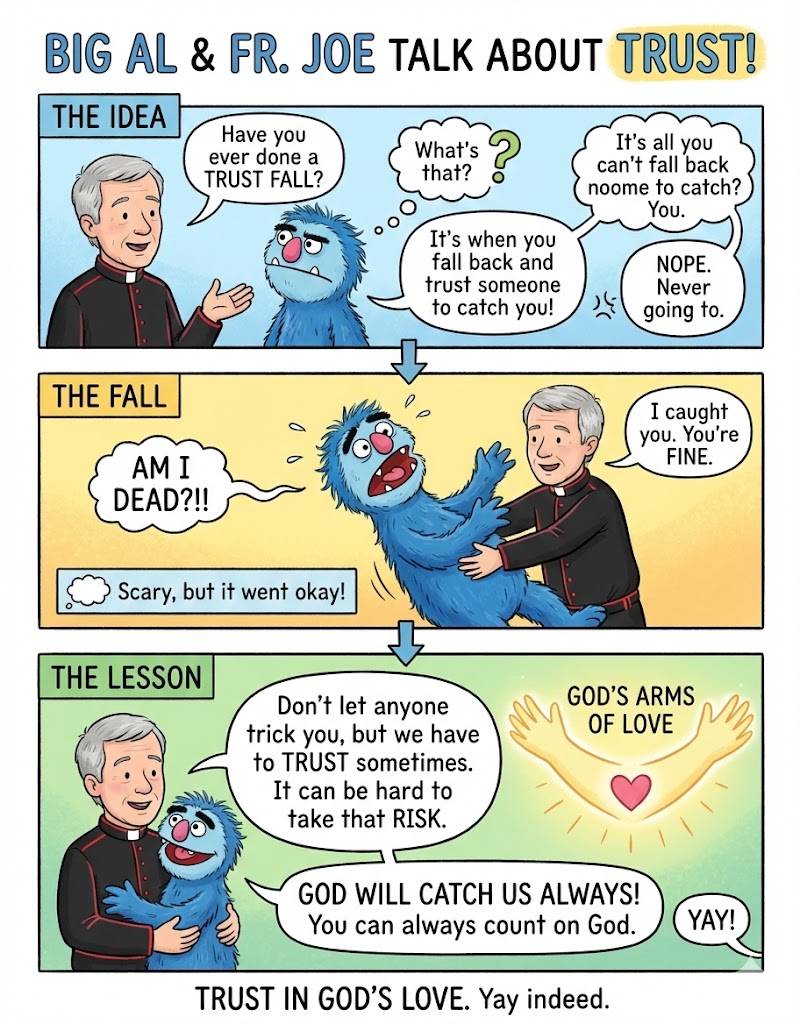
THE WORD THIS WEEK infographics are created using using GOOGLE’S AI Gemini 3 Pro. You are free to use the above infographic in any non-profit ministry. Please give credit to TheWordThisWeek.net and Father Glenn who contributed content.

YouTube player
TWTW LESSON PLAN -

Create a lesson plan based on Use the following or a similar format: Lesson Plan Title:

Grade Level:

Estimated Time:

Theme:

I. Learning Objectives

II. Materials Needed

III. Key Vocabulary

IV. Lesson Procedure

A. Introduction: The Big Game Excitement (10 Minutes)

Hook:

Discussion:

Anticipated answers:

Transition:

B. Direct Instruction: The Story of Big Al and Fr. Joe (15 Minutes)

Use the infographic as your visual aid during this section.

Set the Scene (Top Half of Infographic):

The Conflict:

The Question:

The Shift (Bottom Half of Infographic):

The Main Point:

Examples:

The Resolution:

C. Guided Activity: Temporary vs. Lasting Sort (10 Minutes)

D. Application Activity: Goodness Cheerleaders (15 Minutes)

V. Closing Prayer (5 Minutes)

Coming Soon!

KEY THEMES: INFOGRAPHIC

Command Prompt:

"Create a two-column infographic in a friendly, cartoon illustration style with a clear layout.

Header: At the top, a large, bold title banner reading '[YOUR MAIN TITLE HERE]'. Below it, a subtitle banner that says '[YOUR SUBTITLE HERE]'.

Central Divider: The main body is divided down the middle by a decorative, wavy vertical line with an arrow pointing from left to right at the top, labeled '[TRANSITION LABEL, e.g., SHIFT IN PERSPECTIVE]'.

Left Column: Title this section '[LEFT COLUMN HEADING, e.g., INITIAL THOUGHTS]'. In the center, illustrate a character '[DESCRIBE CHARACTER & POSE, e.g., sitting at a desk with a long list]'. Surround them with [NUMBER] thought bubbles or icons, each with a label, representing '[DESCRIBE LEFT SIDE ITEMS, e.g., personal wants, specific objects]'. At the bottom of this column, add a rectangular text box with a summary caption starting with 'FOCUS:'.

Right Column: Title this section '[RIGHT COLUMN HEADING, e.g., BIGGER PICTURE]'. Illustrate the same character '[DESCRIBE CHARACTER & NEW POSE, e.g., standing happily, holding a heart]'. Surround them with [NUMBER] icons and labels representing '[DESCRIBE RIGHT SIDE ITEMS, e.g., sharing, community, abstract concepts like love and kindness]'. Below the character, add a large, prominent banner with a central, bold concluding statement. At the bottom of this column, add a rectangular text box with a summary caption starting with 'FOCUS:'.

Footer: At the very bottom, place a horizontal bar divided into three equal segments.

Left Segment: An icon of '[ICON NAME]' with the title '[SEGMENT TITLE]' and a short sentence below it.

Middle Segment: An icon of '[ICON NAME]' with the title '[SEGMENT TITLE]' and a short sentence below it.

Right Segment: An icon of '[ICON NAME]' with the title '[SEGMENT TITLE]' and a short sentence below it.

Ensure the overall composition is balanced, with clear visual separation between the sections and a cohesive color palette."

THE WORD THIS WEEK infographics are created using using GOOGLE’S AI Gemini 3 Pro. You are free to use the above infographic in any non-profit ministry. Please give credit to TheWordThisWeek.net and Fr. Joe Kempf who contributed content.

YouTube player
TIMESTAMPED SUMMARY
KEY THEMES: INFOGRAPHIC

THE WORD THIS WEEK infographics are created using using GOOGLE’S AI Gemini 3 Pro. You are free to use the above infographic in any non-profit ministry. Please give credit to TheWordThisWeek.net and Ministry to Children which contributed content.

GOSPEL WEEKLIES— +100 Online Resources! | Archive


Free Bible Images

The Religion Teacher

YouTube player

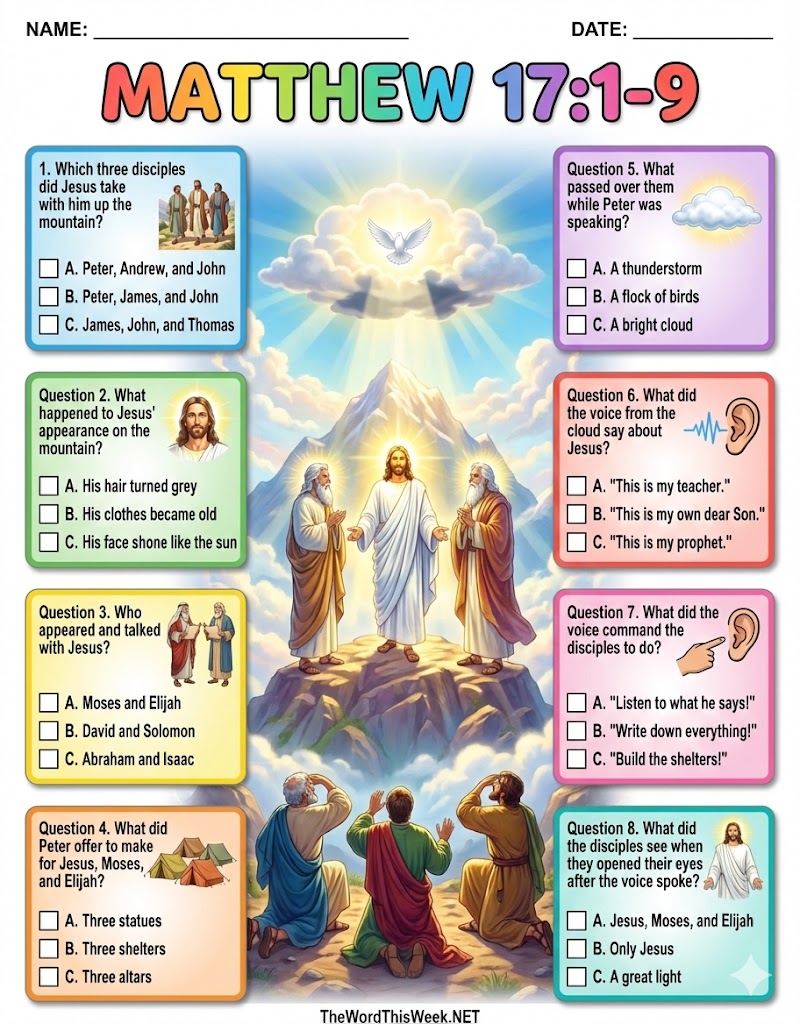
Check for Understanding (PDFs)

create a colorful eye popping striking 8.5×11 infographic for children with a title giving the scripture verse provided. No need to identify it though, just give book, chapter and verses. No subtitle. For the background create an appropriate bible image. Infographic should have 8 multiple choice questions evenly spaced and aligned in two columns. Four in each column. Card panels with thin grey borders and slight drop shadows. Questions should be numbers 1,2,3 followed by a period. In the questions do not refer to source content with phrases such as “based on the provided text” or “According to the analysis”. Just state the question. Place white boxes in front of the answers (not the question) for students to check or fill in. These boxes should have black borders and white background. for some of the panels have related images. Following each box should be large capital leters A, B, C, followed by a period. Do not provide the answers. On the bottom footer it should say TheWordThisWeek.NET No other words should appear in the footer. At the top left corner in the header area, in plain black text, appear the words: NAME: ________________________________. At the top right in the header area appear the words: DATE: __________________ What follows is the scripture reference and text to use to base your questions off of:

DOWNLOAD PDF


400×400

The Kids Bulletin

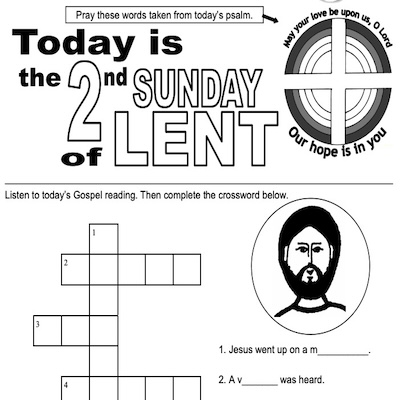
Sunday Worksheet

Reimagining Classic Content

STORY 1STORY 2
Create an 8.5×11 digital comic strip styled with a layout suitable for children, using realistic imagery (via Unsplash) to tell the story.
TWTW eight second video clip (above) and infographics (below) were created using story content from Larry Broding’s CHILDREN READINGS found at wordsunday.com.
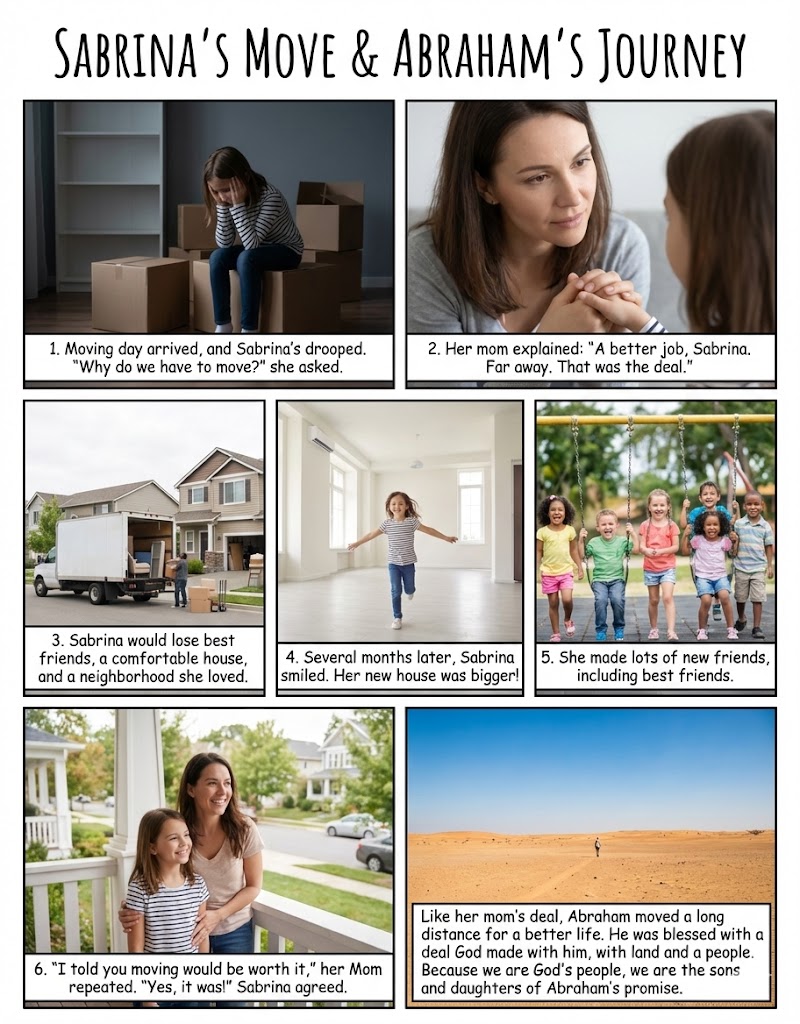
THE WORD THIS WEEK infographics are created using using GOOGLE’S AI Gemini 3 Pro Nano Banana and images from Unsplash. You are free to use the above infographic in any non-profit ministry. Please give credit to TheWordThisWeek.net and the Word-Sunday.

TWTW eight second video clip (above) and infographics (below) were created using story content from Larry Broding’s CHILDREN READINGS found at wordsunday.com.

THE WORD THIS WEEK infographics are created using using GOOGLE’S AI Gemini 3 Pro Nano Banana and images from Unsplash. You are free to use the above infographic in any non-profit ministry. Please give credit to TheWordThisWeek.net and the Word-Sunday.

Children’s Object Lesson
YouTube player

Catholic Resources